.svg)


.svg)
Tenable
Overview
The Tenable Integration allows Cywift to securely connect with Tenable Vulnerability Management to collect vulnerability findings, asset inventory, scan results, remediation information, and security posture data.
Before starting the integration, ensure the following:
• Tenable account access
• API access enabled
• Access Key and Secret Key generated
• Required read-only permissions assigned
• Collector configured in Cywift
Step 1: Prepare Tenable Access
- Log in to the Tenable portal.
- Create or identify a dedicated service account for the integration.
- Generate the API credentials:
• Navigate to your User Profile or My Account
• Open the API Keys section
• Generate the Access Key and Secret Key
• Copy and securely store both keys
- Assign the required read-only permissions for:
• Asset inventory
• Vulnerability findings
• Scan results
• Plugin information
• Remediation data
- Verify the Tenable API is reachable from the Cywift Collector.
Important Notes:
• Use a dedicated service account whenever possible
• Apply the principle of least privilege
• Store API keys securely
• Rotate API keys periodically
Step 2: Navigate to Integrations in Cywift
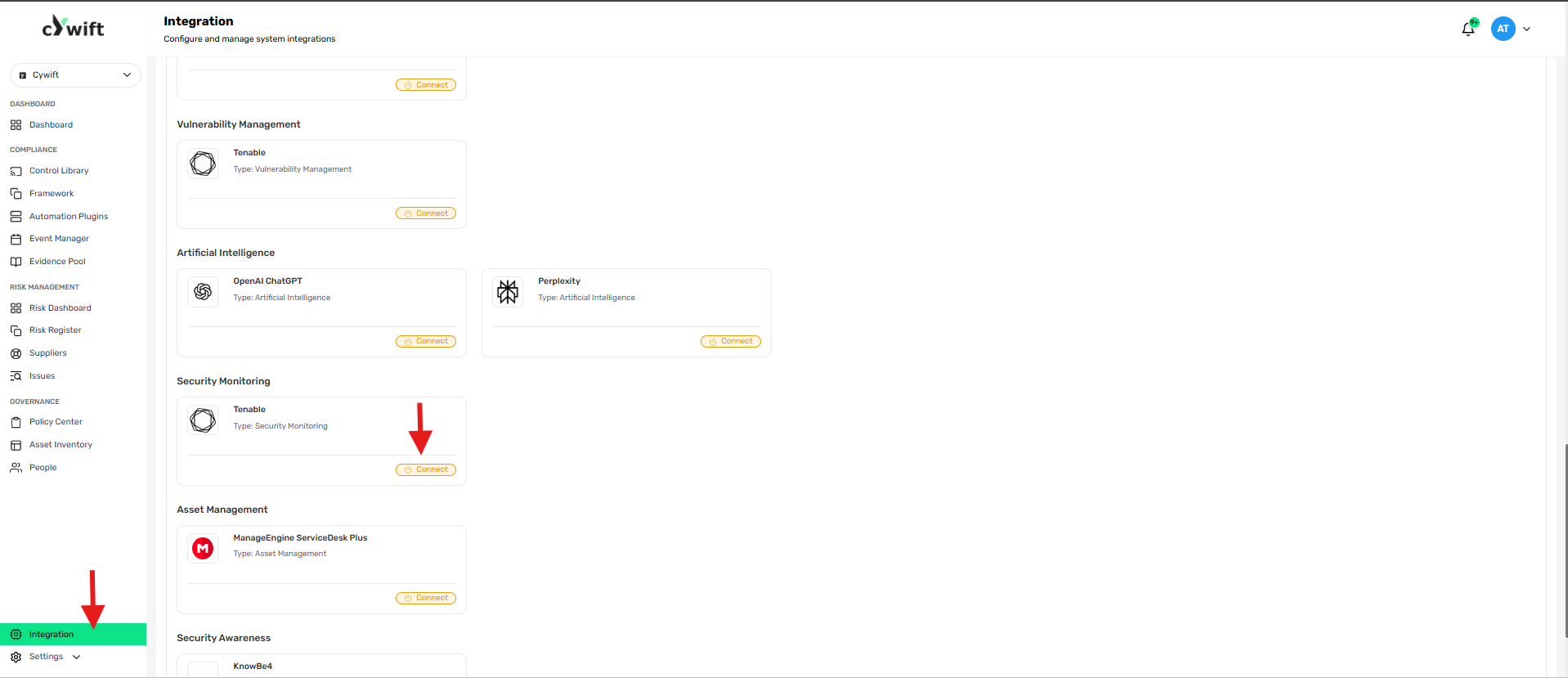
• Log in to the Cywift Platform
• Navigate to Integration
• Select Security Monitoring
• Choose Tenable
• Click Add Integration
Step 3: Add Individual Integration
Use this option when integrating a single Tenable instance.
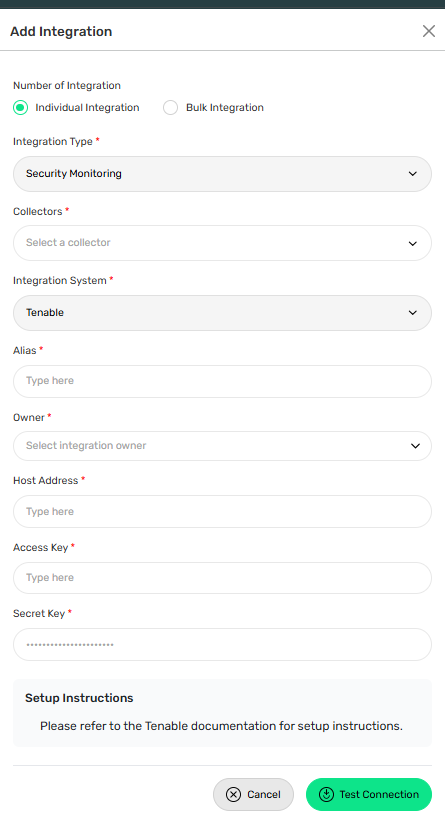
Required Fields:
• Select Individual Integration
• Select Tenable from Security Monitoring
• Select a configured Collector
• Enter an Integration Alias
• Select an Integration Owner
• Enter the Tenable URL
• Enter the Access Key
• Enter the Secret Key
Step 4: Add Bulk Integration
Use this option to integrate multiple Tenable instances.
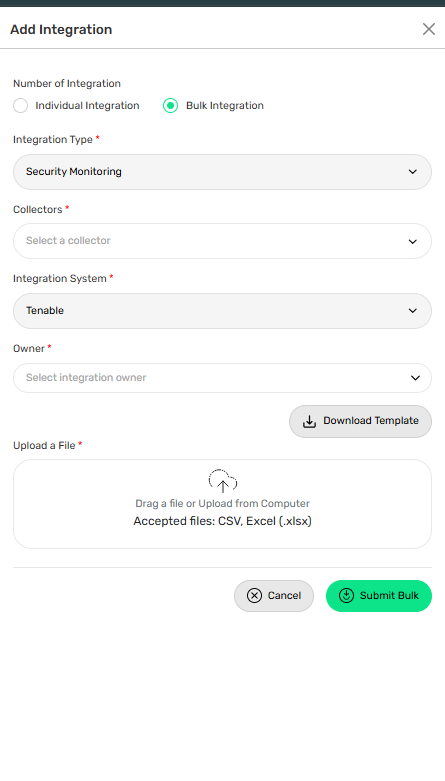
Steps:
• Select Bulk Integration
• Download the template
• Enter the required Tenable details and API credentials
• Upload the completed file
• Click Test Connection
• Save the integration
Troubleshooting Tips
• Verify the Access Key and Secret Key are correct
• Confirm the Tenable URL is valid
• Ensure the account has the required read-only permissions
• Check HTTPS connectivity between the collector and Tenable
• Verify API keys have not expired or been regenerated