.svg)


.svg)
OpenAI ChatGPT
Overview
The OpenAI ChatGPT Integration allows Cywift to securely connect with OpenAI APIs to support AI-assisted analysis, natural language summarization, policy interpretation, remediation recommendations, and security workflow automation.
Before starting the integration, ensure the following:
• OpenAI Platform account access
• API key generated
• Billing enabled (if required)
• Required model access available
• Collector configured in Cywift
Step 1: Prepare OpenAI Access
- Log in to the OpenAI Platform.
- Create or select a dedicated project for the Cywift integration.
- Generate an API Key:
• Navigate to API Keys
• Click Create new secret key
• Copy and securely store the generated API key
- Ensure the project has access to the required OpenAI models.
- Verify the OpenAI API is reachable from the Cywift Collector.
Important Notes:
• Use a dedicated project whenever possible
• Store API keys securely
• Apply the principle of least privilege
• Rotate API keys periodically
Step 2: Navigate to Integrations in Cywift
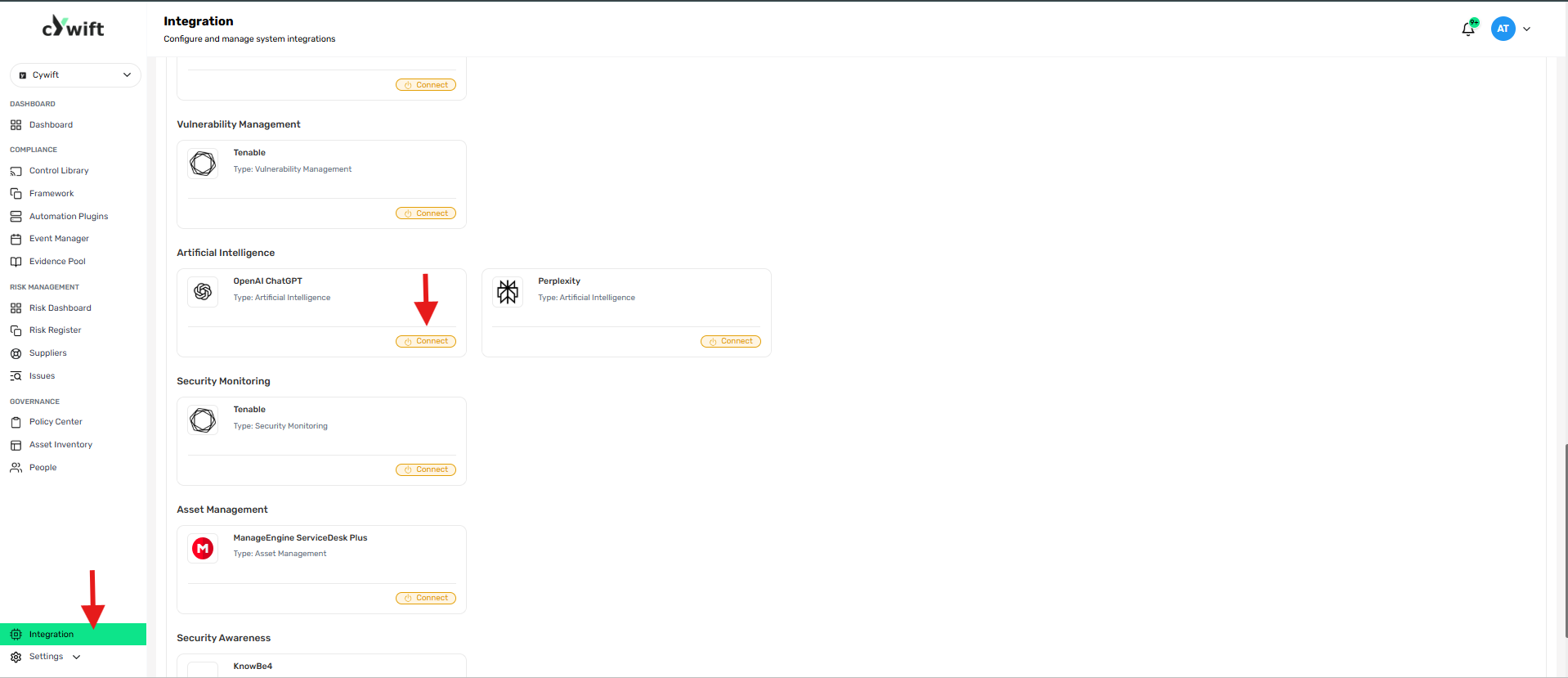
• Log in to the Cywift Platform
• Navigate to Integration
• Select Artificial Intelligence
• Choose OpenAI ChatGPT
• Click Add Integration
Step 3: Add Individual Integration
Use this option when integrating a single OpenAI project.
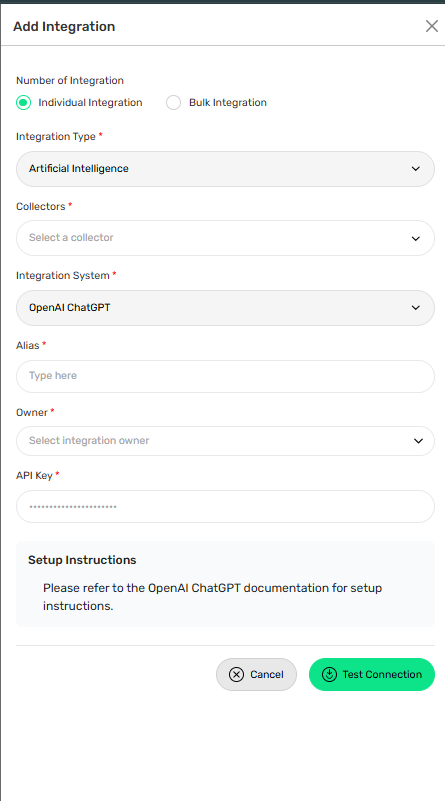
Required Fields:
• Select Individual Integration
• Select OpenAI ChatGPT from Artificial Intelligence
• Select a configured Collector
• Enter an Integration Alias
• Select an Integration Owner
• Enter the OpenAI API Key
Step 4: Add Bulk Integration
Use this option to integrate multiple OpenAI projects.
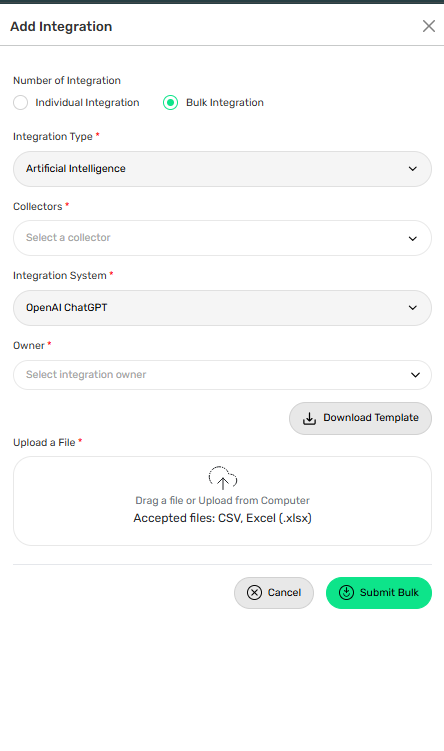
Steps:
• Select Bulk Integration
• Download the template
• Enter the required project details and API keys
• Upload the completed file
• Click Test Connection
• Save the integration
Troubleshooting Tips
• Verify the API key is valid and active
• Confirm billing is enabled, if required
• Ensure the selected model is available to the project
• Check outbound HTTPS connectivity to the OpenAI API
• Verify API quotas or rate limits have not been exceeded