.svg)


.svg)
Aruba
Overview
The Aruba Integration allows Cywift to securely connect with Aruba network devices to collect network inventory, configuration details, interface information, wireless or switching metadata, access controls, and hardening evidence.
Before starting the integration, ensure the following:
• Aruba device or controller access
• Read-only administrator account
• SSH or API access enabled
• Device or controller hostname or IP address
• Collector configured in Cywift
Step 1: Prepare Aruba Access
- Log in to the Aruba device or controller.
- Create a dedicated read-only account for the integration.
- Enable the required management access method.
- • SSH
• API access (if applicable)
• SNMP (if applicable) - Assign the required permissions for configuration and status collection.
- Verify the device or controller is reachable from the Cywift Collector.
Important Notes:
• Use a dedicated read-only account whenever possible
• Restrict management access to trusted collector IP addresses
• Avoid using shared administrator accounts
• Ensure the management interface is reachable
Step 2: Navigate to Integrations in Cywift
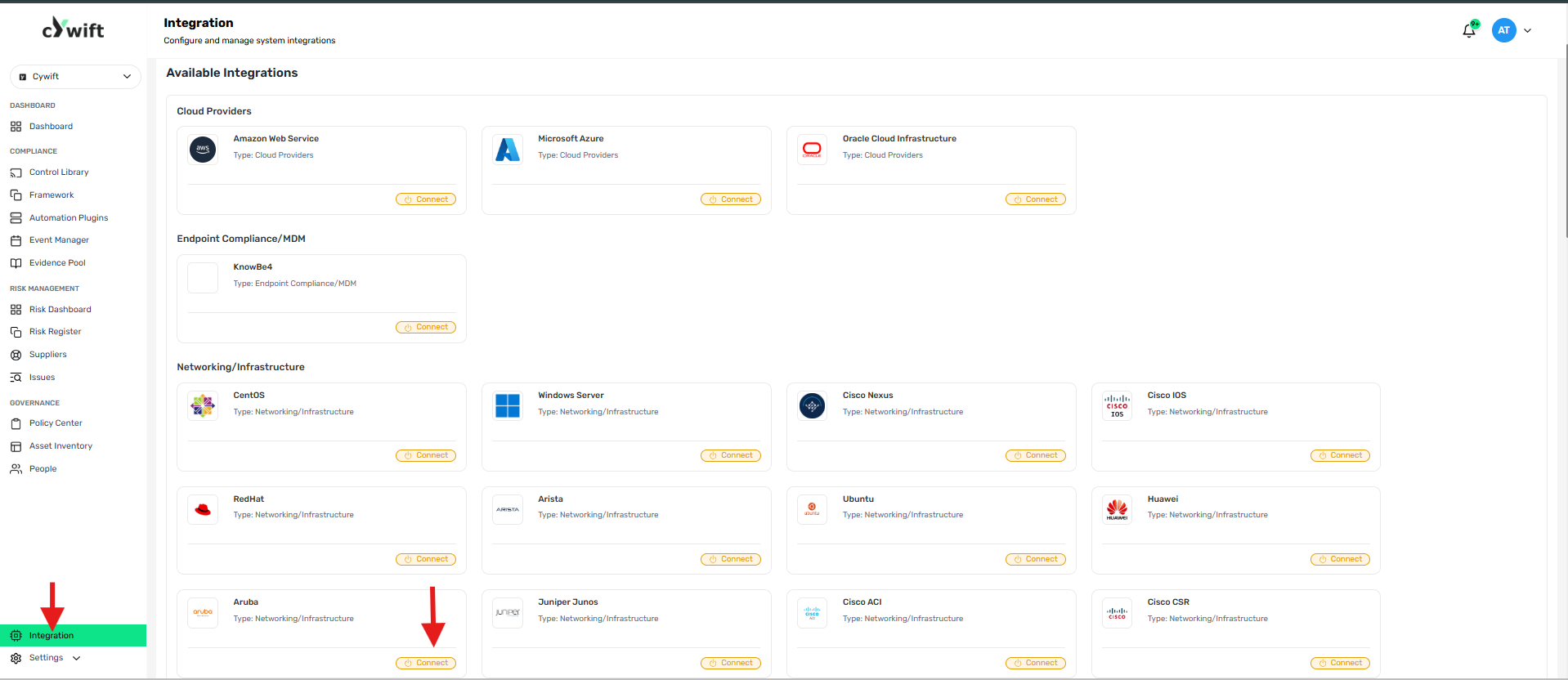
• Log in to the Cywift Platform
• Navigate to Integration
• Select Networking/Infrastructure
• Choose Aruba
• Click Add Integration
Step 3: Add Individual Integration
Use this option when integrating a single Aruba device or controller.
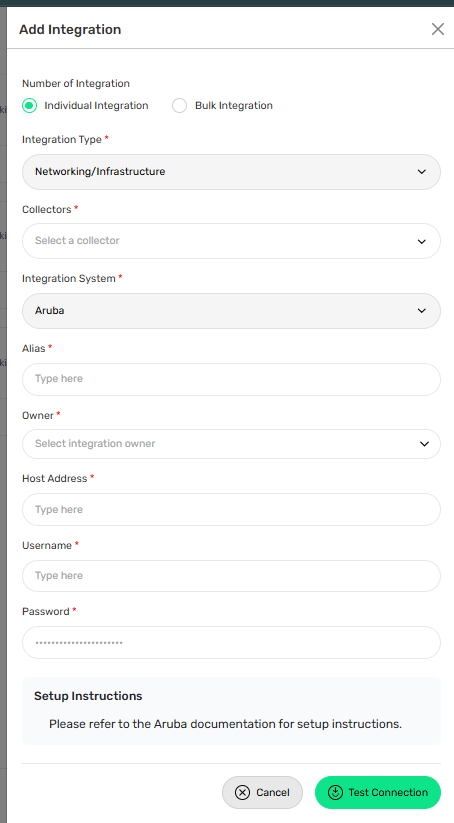
Required Fields:
• Select Individual Integration
• Select Aruba from Networking/Infrastructure
• Select a configured Collector
• Enter an Integration Alias
• Select an Integration Owner
• Enter the Device or Controller Hostname or IP Address
• Enter the Username
• Enter the Password
Step 4: Add Bulk Integration
Use this option to integrate multiple Aruba devices or controllers.
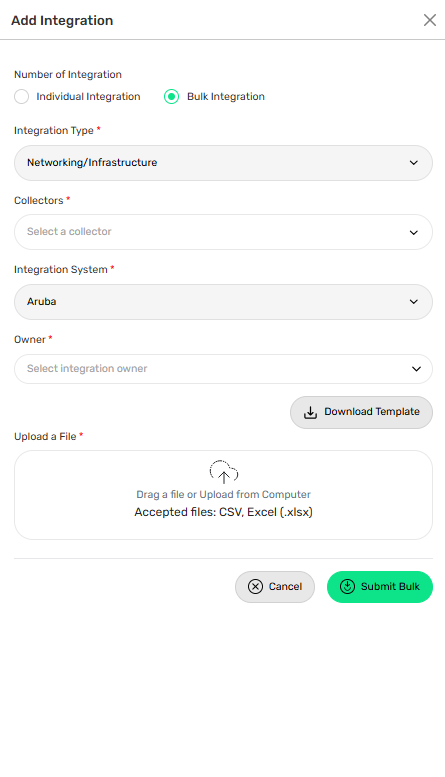
Steps:
• Select Bulk Integration
• Download the template
• Enter the required device details and credentials
• Upload the completed file
• Click Test Connection
• Save the integration
Troubleshooting Tips
• Verify SSH or API access is enabled
• Confirm the hostname or IP address is correct
• Validate the username and password
• Check management ACLs and firewall rules
• Ensure the collector can reach the device or controller