.svg)


.svg)
Overview
The Nutanix PrismElement Integration allows Cywift to securely connect with specific Nutanix clusters using API credentials to collect cluster-level configuration and health metrics.
Before starting the integration, ensure the following:
- Administrative access to Prism Element
- Cluster Virtual IP (VIP) address
- Valid API username and password
- Network connectivity between Cywift and the cluster
Step1: Create Read-Only User
- Log in to the Nutanix Prism Element web console.
- Navigate to: Settings → User Management → Users.
- Create a new user with the Role: Viewer.
- Save the user.
Step2: Navigate to Integrations in Cywift
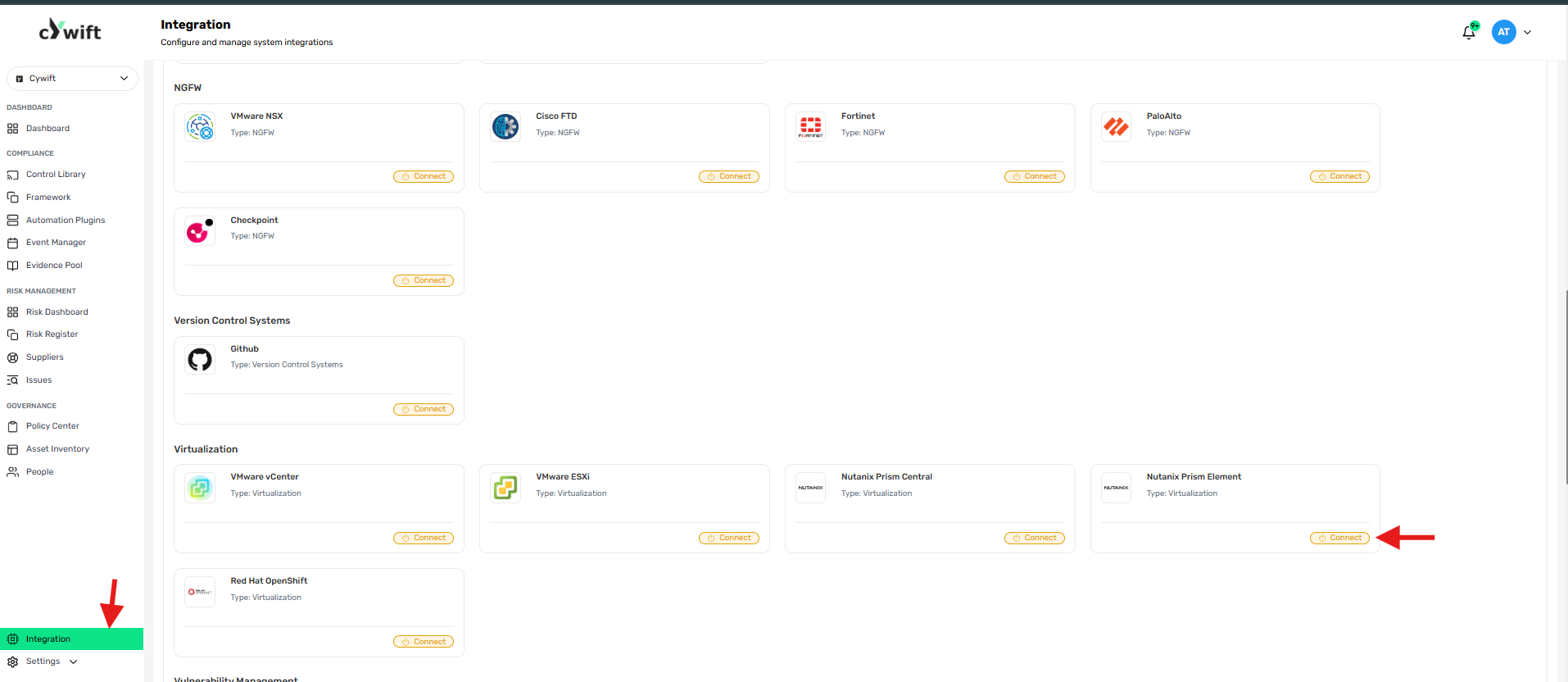
- Log in to the Cywift Platform
- Go to Integration from the left menu
- Under Virtualization
- Select Nutanix Prism Element
- Click Connect
Step3: Add Individual Integration
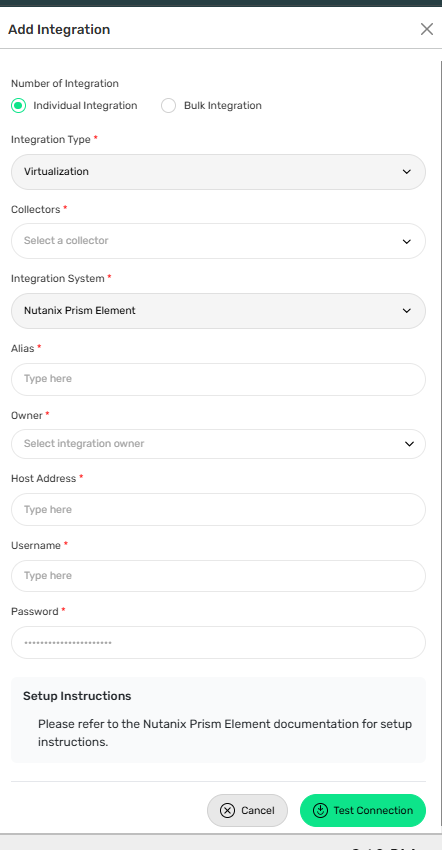
RequiredFields:
- Number of Integration: Select Individual Integration
- Integration Type: Virtualization
- Collectors: Select a configured collector
- Integration System: Nutanix Prism Element
- Alias: Enter a friendly name
- Owner: Select integration owner
- Host Address: Enter Cluster Virtual IP (VIP)
- Username: Enter API username
- Password: Enter API password
Step 4: Add Bulk Integration
Use this option to integrate multiple Nutanix Prism element instance.
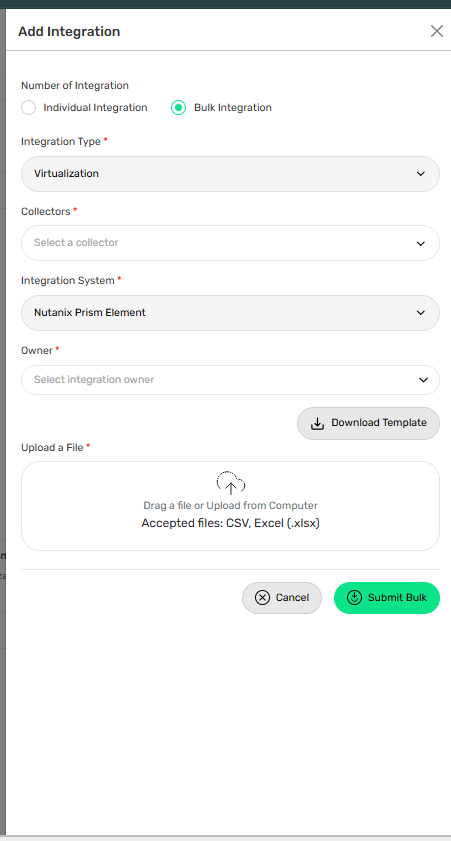
Steps:
• Select Bulk Integration
• Download Template
• Fill required account details
• Upload file
• Click Test Connection
Troubleshooting Tips
• Verify Prism Element services are running
• Validate API username and password
• Ensure the user has Read-Only (Viewer) permissions
• Check network connectivity and HTTPS/API access