.svg)


.svg)

Alma OS
Overview
The Alma OS Integration allows Cywift to securely connect with AlmaLinux-based servers to collect operating system configuration, package information, patch status, user accounts, services, and hardening evidence.
Before starting the integration, ensure the following:
• Alma OS server access
• SSH access enabled
• Read-only or sudo-restricted service account
• Server hostname or IP address
• Collector configured in Cywift
Step 1: Prepare Alma OS Access
- Log in to the Alma OS server.
- Create a dedicated service account for the integration.
- Configure and enable SSH access.
- Grant the account the required permissions for:
• System inventory
• Package inventory
• Service status
• Patch status
• Security configuration review
• Log and audit configuration review
- Verify the server is reachable from the Cywift Collector.
Important Notes:
• Use SSH key authentication whenever possible
• Limit sudo access to only the required commands
• Restrict SSH access to trusted collector IP addresses
• Avoid using the root account for integrations
Step 2: Navigate to Integrations in Cywift
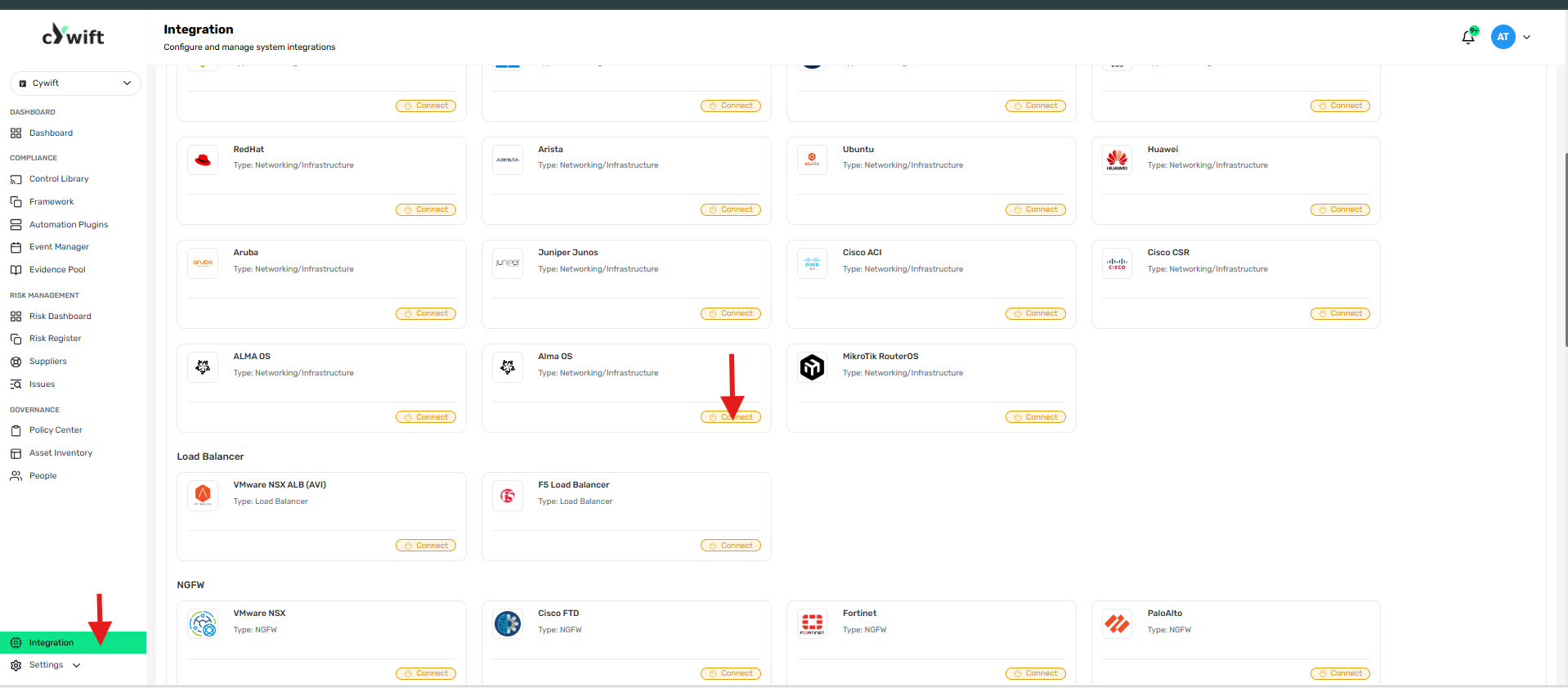
• Log in to the Cywift Platform
• Navigate to Integration
• Select Networking/Infrastructure
• Choose Alma OS
• Click Add Integration
Step 3: Add Individual Integration
Use this option when integrating a single Alma OS server.
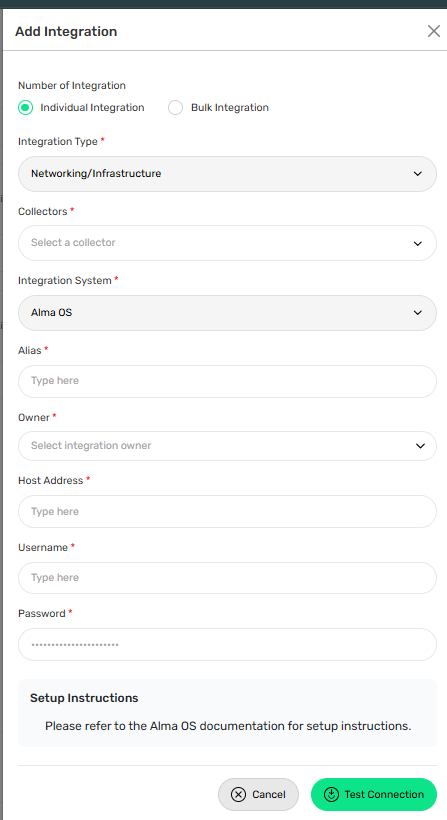
Required Fields:
• Select Individual Integration
• Select Alma OS from Networking/Infrastructure
• Select a configured Collector
• Enter an Integration Alias
• Select an Integration Owner
• Enter the Server Hostname or IP Address
• Enter the Username
• Enter the Password
Step 4: Add Bulk Integration
Use this option to integrate multiple Alma OS servers.
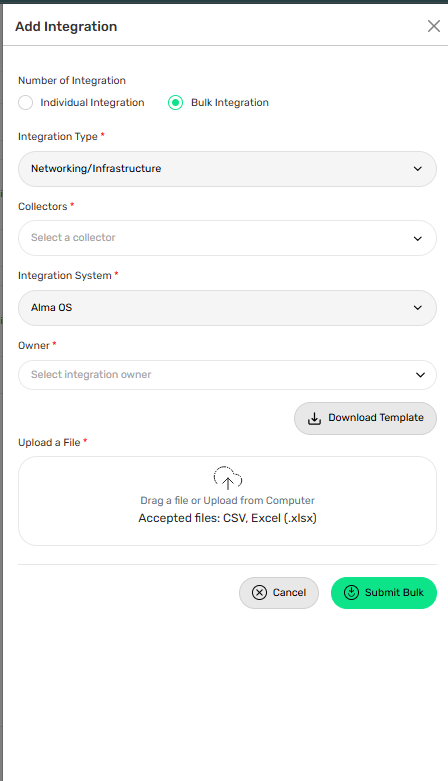
Steps:
• Select Bulk Integration
• Download the template
• Enter the required server details and credentials
• Upload the completed file
• Click Test Connection
• Save the integration
Troubleshooting Tips
• Verify SSH access is enabled
• Confirm the hostname or IP address is correct
• Validate the username and password
• Check firewall rules allow SSH access (default port 22)
• Ensure the collector can reach the server