.svg)


.svg)

Overview
The CentOS Integration allows Cywift to securely connect with CentOS-based systems via SSH to collect system configuration, security posture,and compliance-related data. This integration helps automate monitoring,improve visibility, and support compliance requirements.
Before starting the integration,ensure the following:
• Administrative (root/sudo) access to the CentOS system
• Server hostname or IP address
• Valid SSH username and password
• Network connectivity between Cywift and the CentOS server
• SSH service installed and enabled
• Firewall allows SSH access (default port 22 or custom)
Step 1: Create Read-Only SSH User
Cywift uses SSH for secure communication. A dedicated read-only user ensures secure and non-intrusive access.
Install and Enable SSH
- Install OpenSSH server:
sudo yum install -y open ssh-server
- Enable SSH service:
sudo system ctl enable sshd
- Start SSH service:
sudo system ctl start sshd
- Verify SSH status:
sudo system ctl status sshd
Create Read-Only User
sudo adduser cywift_user
sudo passwd cywift_user
Test SSH Access
From remote system:
ssh cywift_user@<centos-ip>
Validate Read-Only Access
Run:
cat /etc/os-release
Attempt changes (should fail):
sudo reboot
Important Notes:
• Use strong credentials
• Restrict access via IP in production
• Avoid granting full sudo access
• Ensure logging is enabled for audit
Step 2: Navigate to Integrations in Cywift
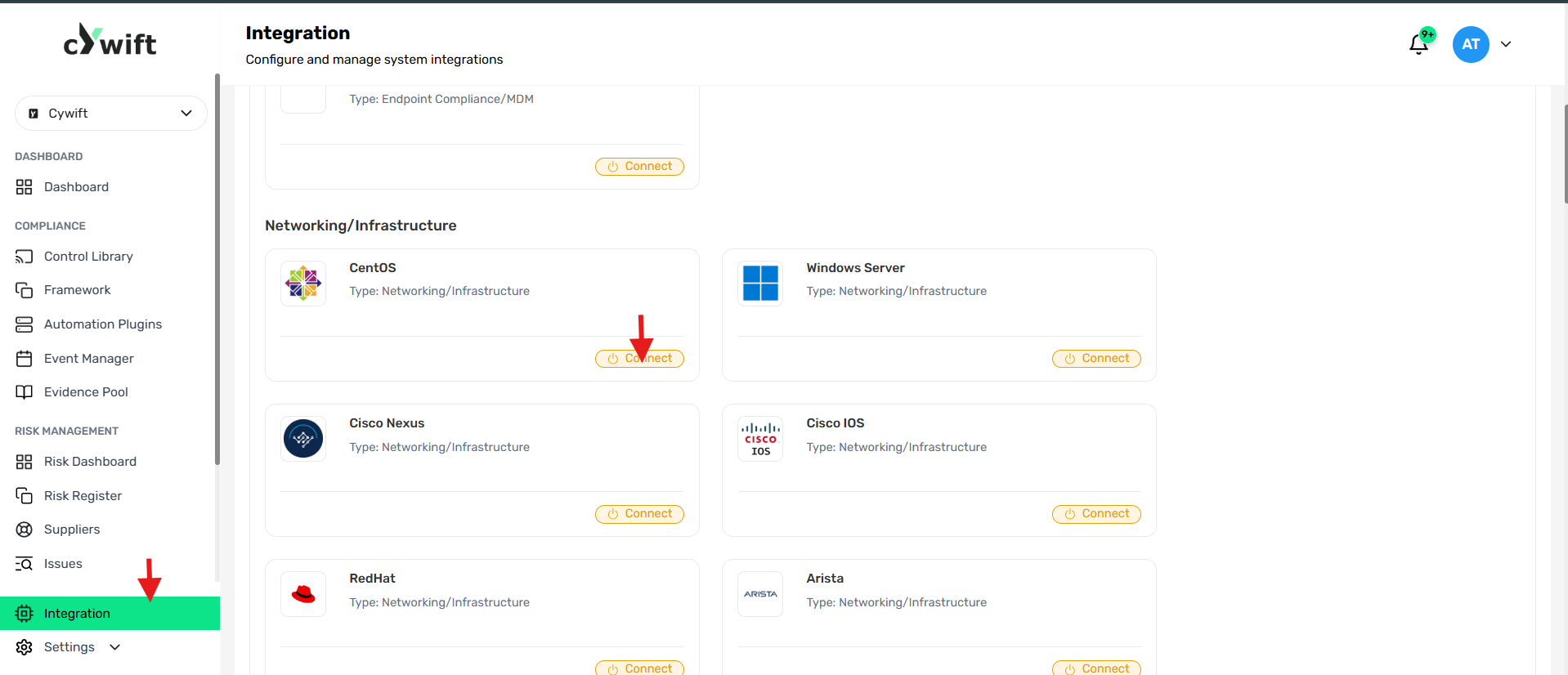
• Log in to the Cywift Platform
• Go to Integration from the left menu
• Under Networking/Infrastructure
• Select CentOS
• Click Connect
Step 3: Add Individual Integration
Use this option when integrating a single CentOS system.

Required Fields
- Required Fields
Number of Integration
Select Individual Integration
- Integration Type
Select Networking/Infrastructure
- Collectors
Select a configured collector
- Integration System
CentOS
- Alias
Enter a friendly name
- Owner
Select integration owner
- Host Address
Enter CentOS IP/hostname
- Username
Enter SSH username
- Password
Enter SSH password
Actions
- Test Connection
Verifies SSH connectivity and authentication - Cancel
Discards configuration
Step 4: Add Bulk Integration
Use this option to integrate multiple CentOS systems.

Steps
• Select Bulk Integration
• Choose Integration Type (Networking/Infrastructure)
• Select Collectors
• Choose Integration System: CentOS
• Click Download Template
• Fill template with system details
• Upload completed file
• Click Test Connection
Troubleshooting Tips
• Ensure SSH service is running
• Verify credentials are correct
• Confirm user has limited access (not blocked)
• Check firewall rules (port 22 open)
• Verify network connectivity
• Ensure SELinux is not blocking access
• Check /var/log/secure for login issues