.svg)


.svg)
FortiGate Firewall
Overview
The FortiGate Firewall integration allows Cywift to securely connect with your Fortinet environment to collect security, network, and system-related data. This integration uses a REST API token generated from the FortiGate GUI and enables continuous visibility into firewall controls and configurations.
Before starting the integration, ensure the following:
• FortiOS version 7.4.5 or later (or 7.6.0 or later) is installed
• Administrator access to the FortiGate firewall
• REST API access is enabled
• Network connectivity exists between Cywift and the FortiGate device
• Collector configured in Cywift
Step 1: Create an Admin Profile in FortiGate
- Log in to the FortiGate GUI.
- Navigate to:
- System → Admin Profile → Create New
- Create a new profile and assign the following permissions:
- • VPN — Read/Write
• User and Device — Read/Write
• Network — Read/Write
• System — Read/Write - Save the profile.
Step 2: Create a REST API Admin and Generate Token
- Navigate to:
- System → Administrators → Create New
- Select REST API Admin.
- Assign the Admin Profile created in Step 1.
- Generate the REST API Token.
- Copy and securely save the token.
Important Notes:
• The API token is displayed only once during creation
• Treat the token as confidential information
• Use dedicated API accounts for integrations whenever possible
• Regenerating a token invalidates the previous token
Step 3: Navigate to Integrations in Cywift
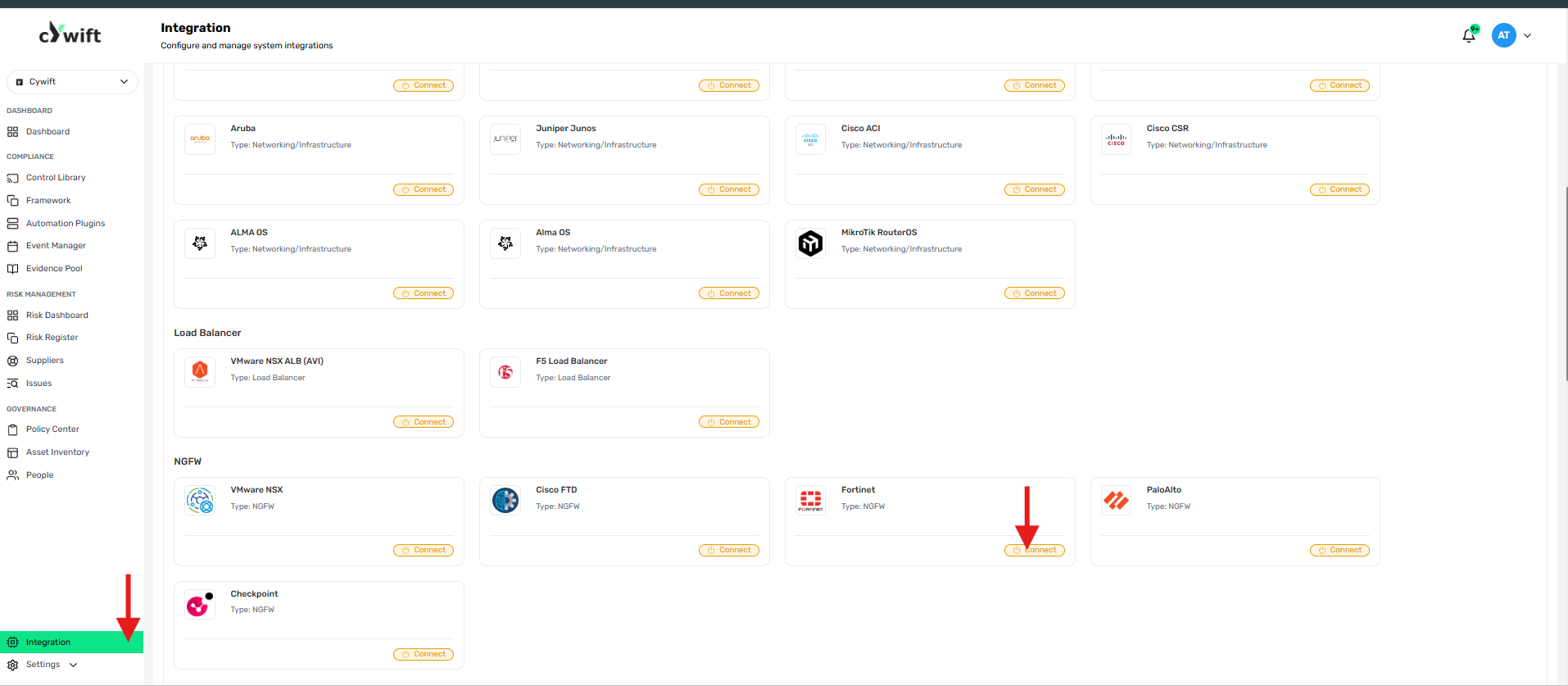
• Log in to the Cywift Platform
• Navigate to Integration
• Select NGFW
• Choose Fortinet
• Click Add Integration
Step 4: Add Individual Integration
Use this option when integrating a single FortiGate firewall.
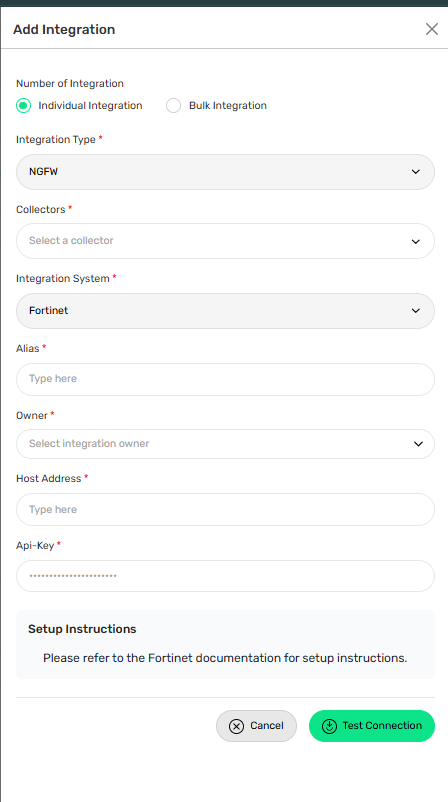
Required Fields:
• Select Individual Integration
• Select Fortinet from NGFW
• Select a configured Collector
• Enter an Integration Alias
• Select an Integration Owner
• Enter the FortiGate Host Address (IP Address or Hostname)
• Enter the REST API Token
Step 5: Add Bulk Integration
Use this option to integrate multiple FortiGate firewalls simultaneously.
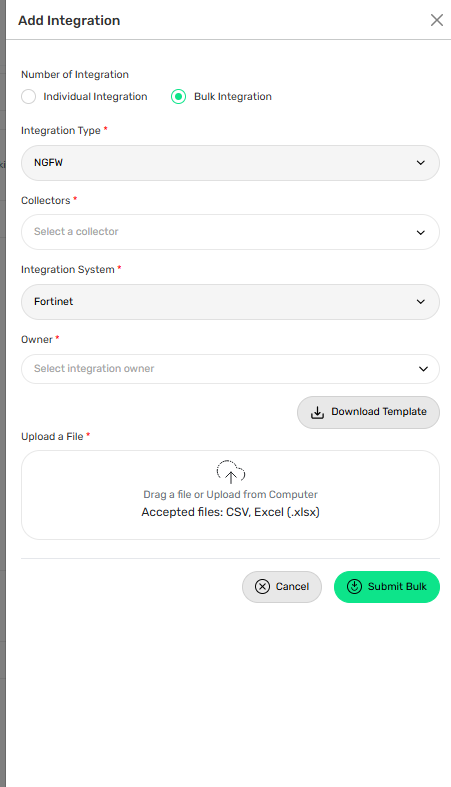
Steps:
• Select Bulk Integration
• Download the template
• Enter the required firewall details
• Upload the completed file
• Click Test Connection
• Save the integration
Troubleshooting Tips
• Verify the Host Address is correct and reachable
• Confirm the REST API Token is valid
• Check administrator permissions assigned to the API user
• Ensure network connectivity between the collector and firewall