.svg)


.svg)
KnowBe4
Overview
The KnowBe4 Integration allows Cywift to securely connect with KnowBe4 to collect security awareness, phishing simulation, training status, user risk, and security culture-related metadata.
Before starting the integration, ensure the following:
• KnowBe4 administrator access
• API token access
• Required reporting permissions
• Collector configured in Cywift
Step 1: Generate KnowBe4 API Token
- Log in to the KnowBe4 Console.
- Navigate to Account settings
- Navigate to Account Integrations → API
- Enable API access.
- Generate or copy the API token.
- Copy and securely save the API token.
Important Notes:
• Store the API token securely
• Use minimum required permissions
• Regenerate the token if it is compromised
• Rotate API tokens periodically
Step 2: Navigate to Integrations in Cywift
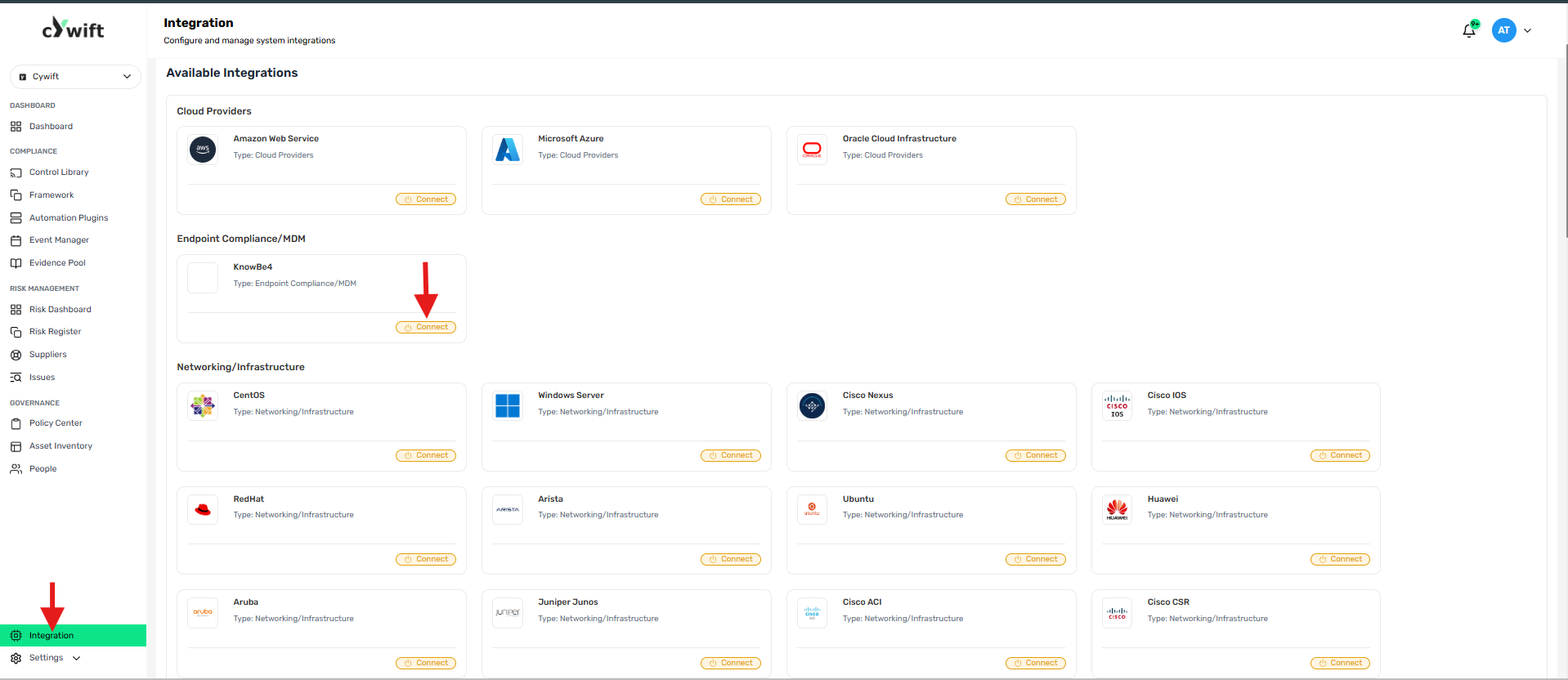
• Log in to the Cywift Platform
• Navigate to Integration
• Select Endpoint Compliance/MDM
• Choose KnowBe4
• Click Add Integration
Step 3: Add Individual Integration
Use this option when integrating a single KnowBe4 account.
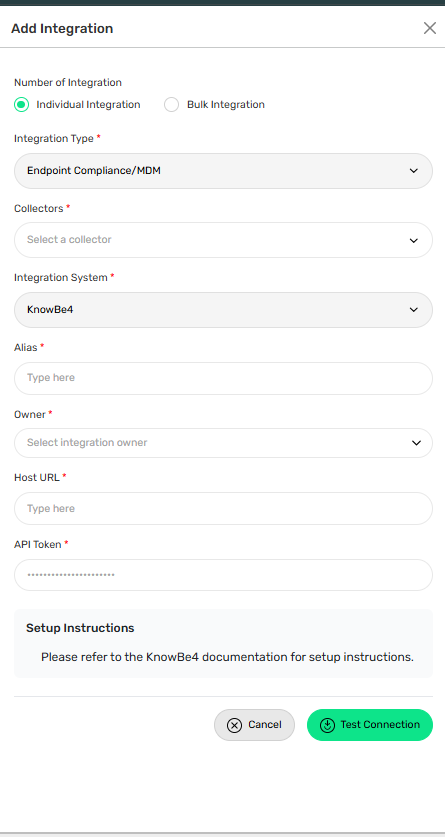
Required Fields:
• Select Individual Integration
• Select KnowBe4 from Endpoint Compliance/MDM
• Select a configured Collector
• Enter an Integration Alias
• Select an Integration Owner
• Enter the KnowBe4 API Token
Step 4: Add Bulk Integration
Use this option to integrate multiple KnowBe4 accounts.
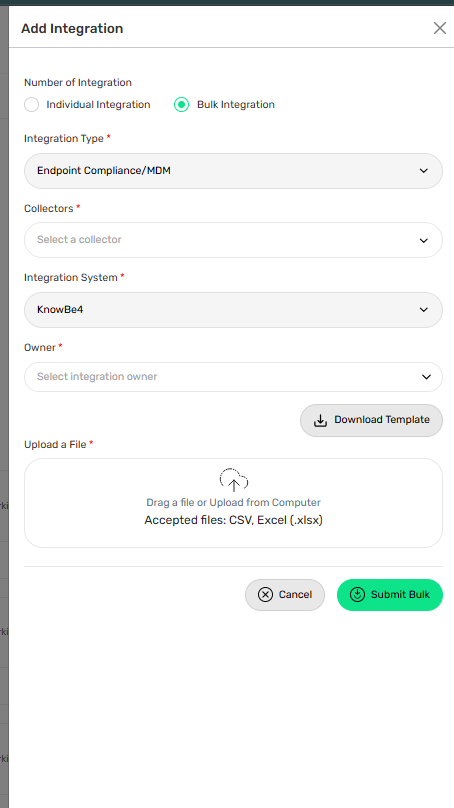
Steps:
• Select Bulk Integration
• Download the template
• Enter the required account details and API tokens
• Upload the completed file
• Click Test Connection
• Save the integration
Troubleshooting Tips
• Verify the API token is correct
• Confirm API access is enabled for the account
• Validate administrator permissions
• Ensure the KnowBe4 account is active
• Check whether the API token has expired or been regenerated